A case rarely arrives as one tidy document.
Useful evidence can sit across reports, spreadsheets, scanned pages, images and video. The work is not just reading it: analysts need to find related material, compare observations and preserve the connection between a finding and its source.
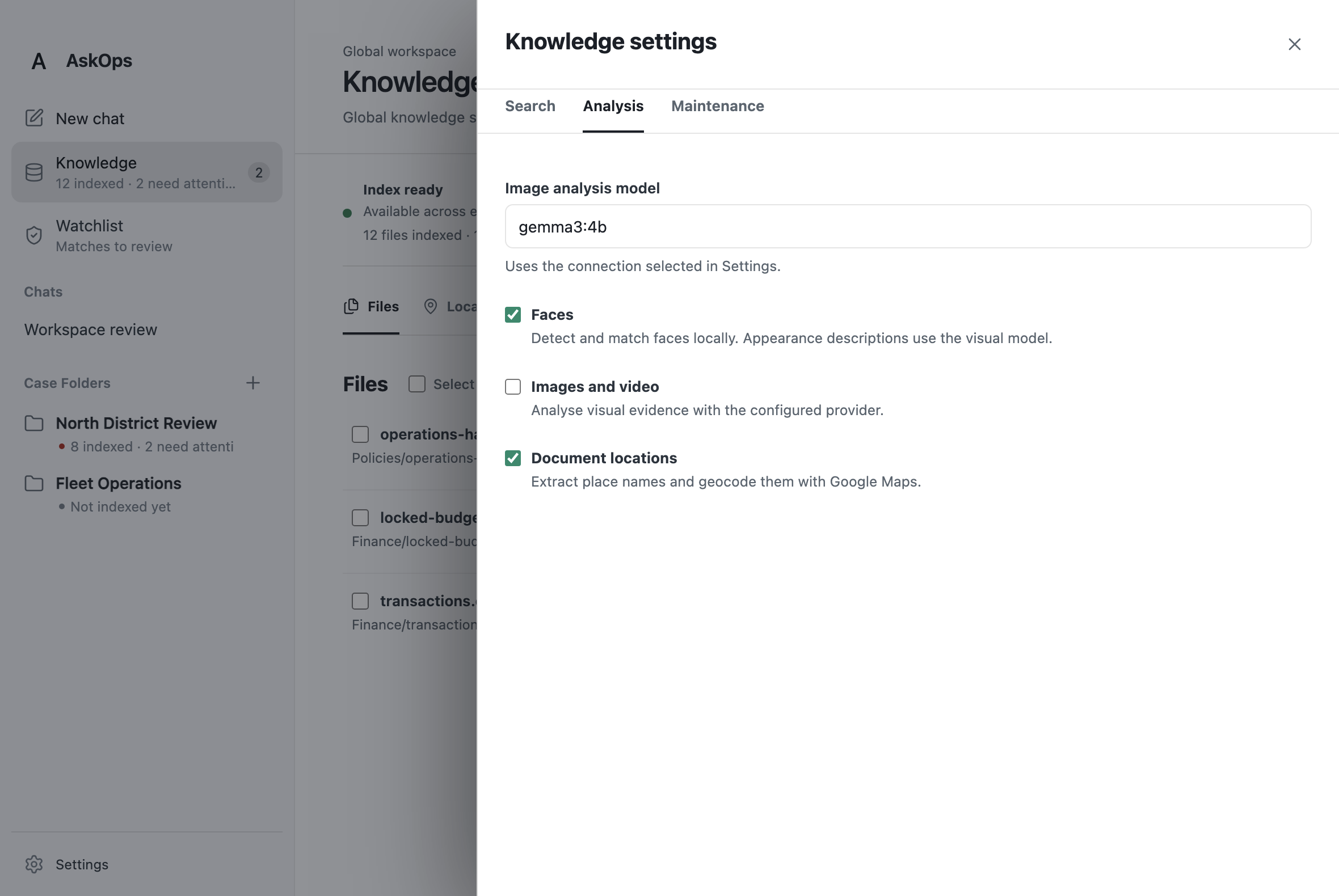
ProwlOps brings those activities into a desktop workspace. Each case has its own folder and conversations, while a shared Knowledge collection holds reference material used across cases. The screenshots show the AskOps v3 build running with repository-supplied demonstration data.
Follow a question through the files.
The agent works alongside the analyst’s case material. It can search indexed sources, inspect files and use Python to analyse data, then prepare outputs in the workspace. Conversations and tool activity remain available as the analyst develops or revisits a line of enquiry.
- Keep each case in context. Case folders organise the source files and conversations for a piece of work. Search combines the active case with shared knowledge, so reference material remains available while other case folders stay outside the active search scope.
- Read beyond the first search result. Search combines meaning-based retrieval with full-text, filename and path matching. The agent can then read indexed content in source order, with page, sheet, row or other available locations retained for review.
- Produce something the analyst can use. File and Python tools support calculations, comparisons and prepared outputs. Case-based work is saved within the case folder; finished files from an unattached chat can be offered through a Save as control.
Know what is ready to search.
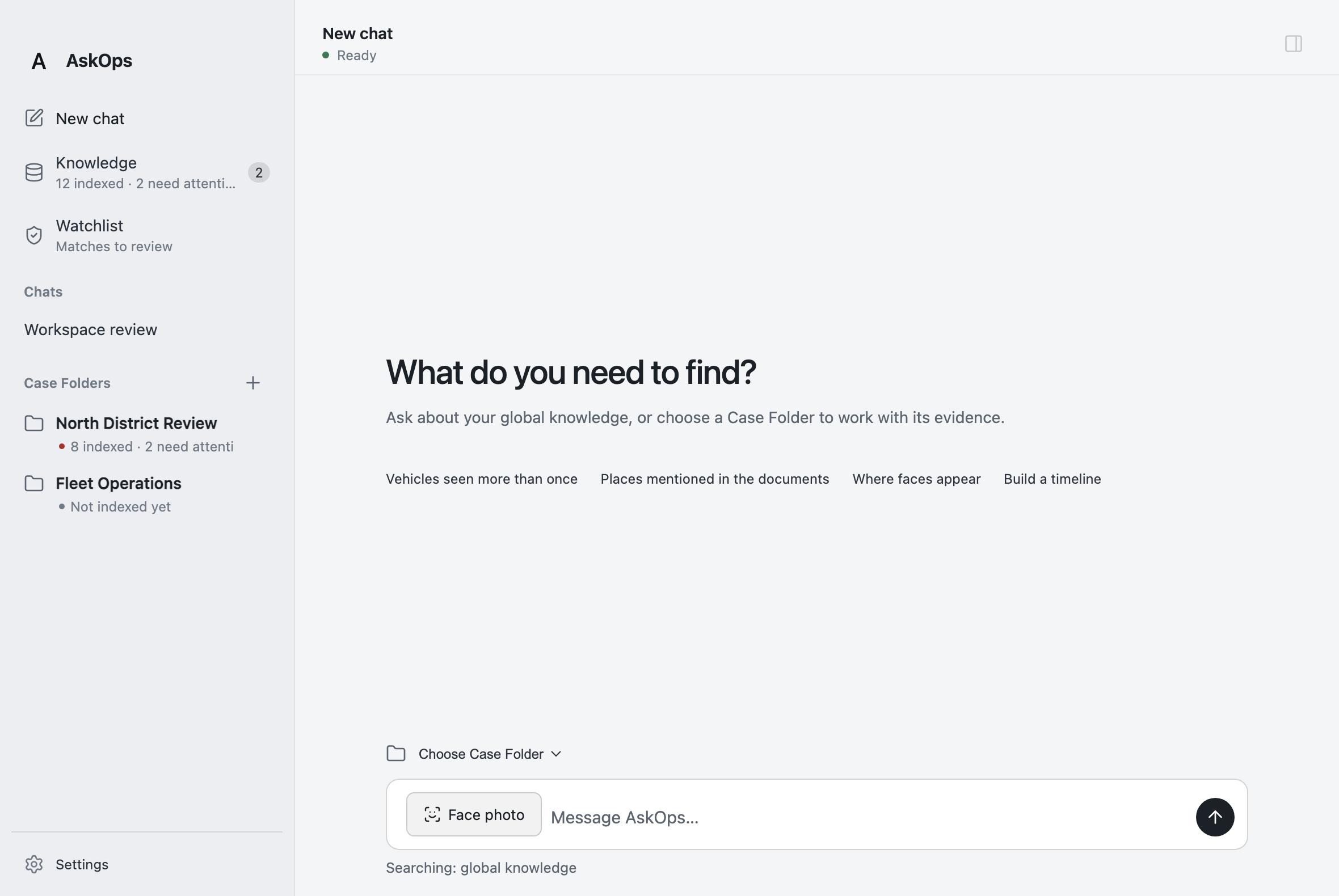
The Knowledge index gives the analyst a view of the material behind an answer. Files are marked as ready, failed or awaiting approval, with details and re-indexing actions available for items that need attention. Large spreadsheet imports can pause for approval before row-level indexing.
When a source changes, the index processes a replacement version. The previous completed version remains available until its replacement succeeds. This makes the state of the evidence collection part of the working interface, rather than leaving the analyst to assume every file was read successfully.
Use a place as another way into the evidence.
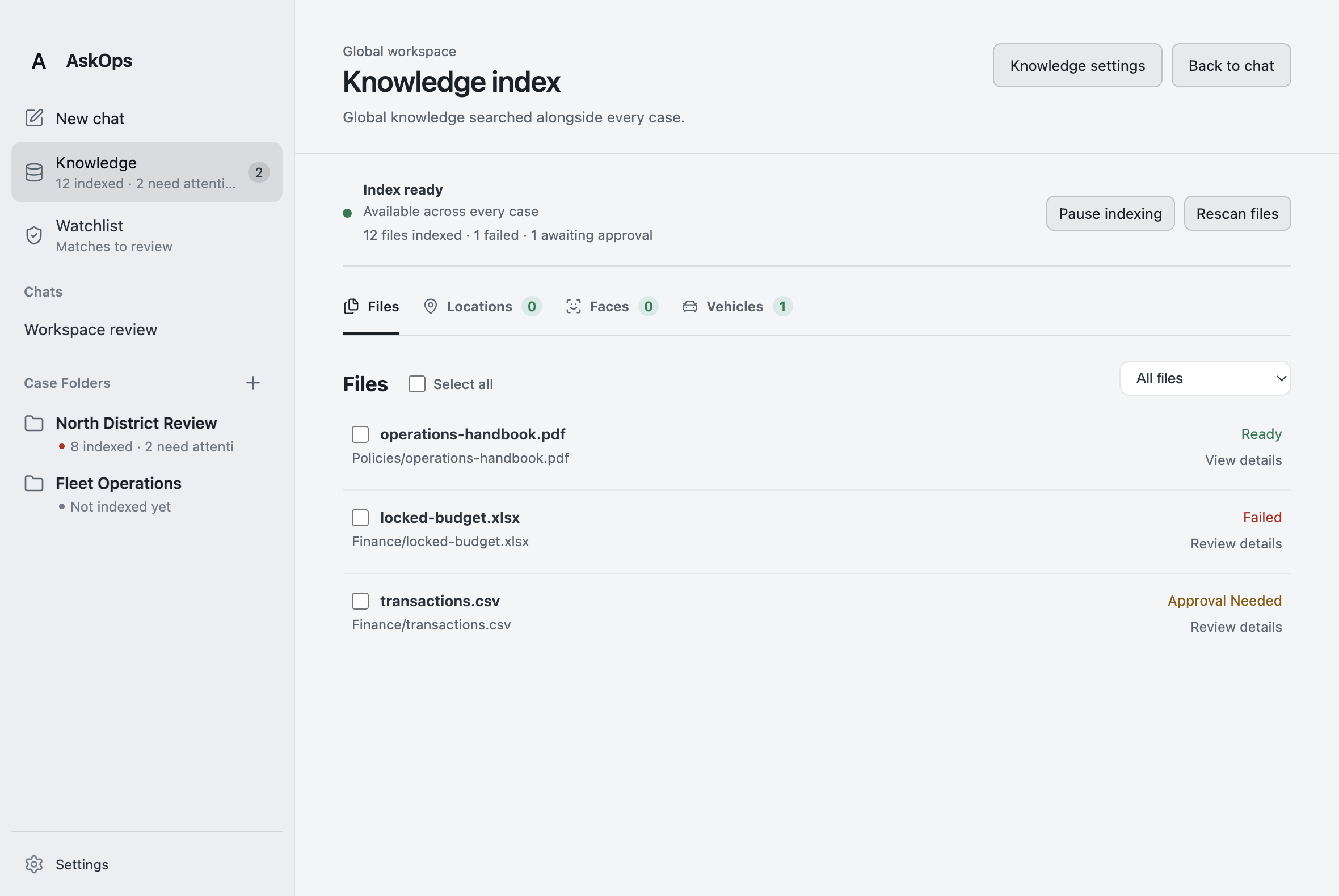
Location extraction turns place names mentioned in documents into another searchable view. With geocoding configured, a mention can be associated with coordinates while retaining its source file and location within that file. The analyst can move from a place back to the passage that mentioned it.
The agent can also look for indexed location mentions near a chosen point and present map evidence. This supports questions that span several documents—for example, finding references near a location of interest—without losing the distinction between a document mention and a verified event.
Narrow the video review to relevant sightings.
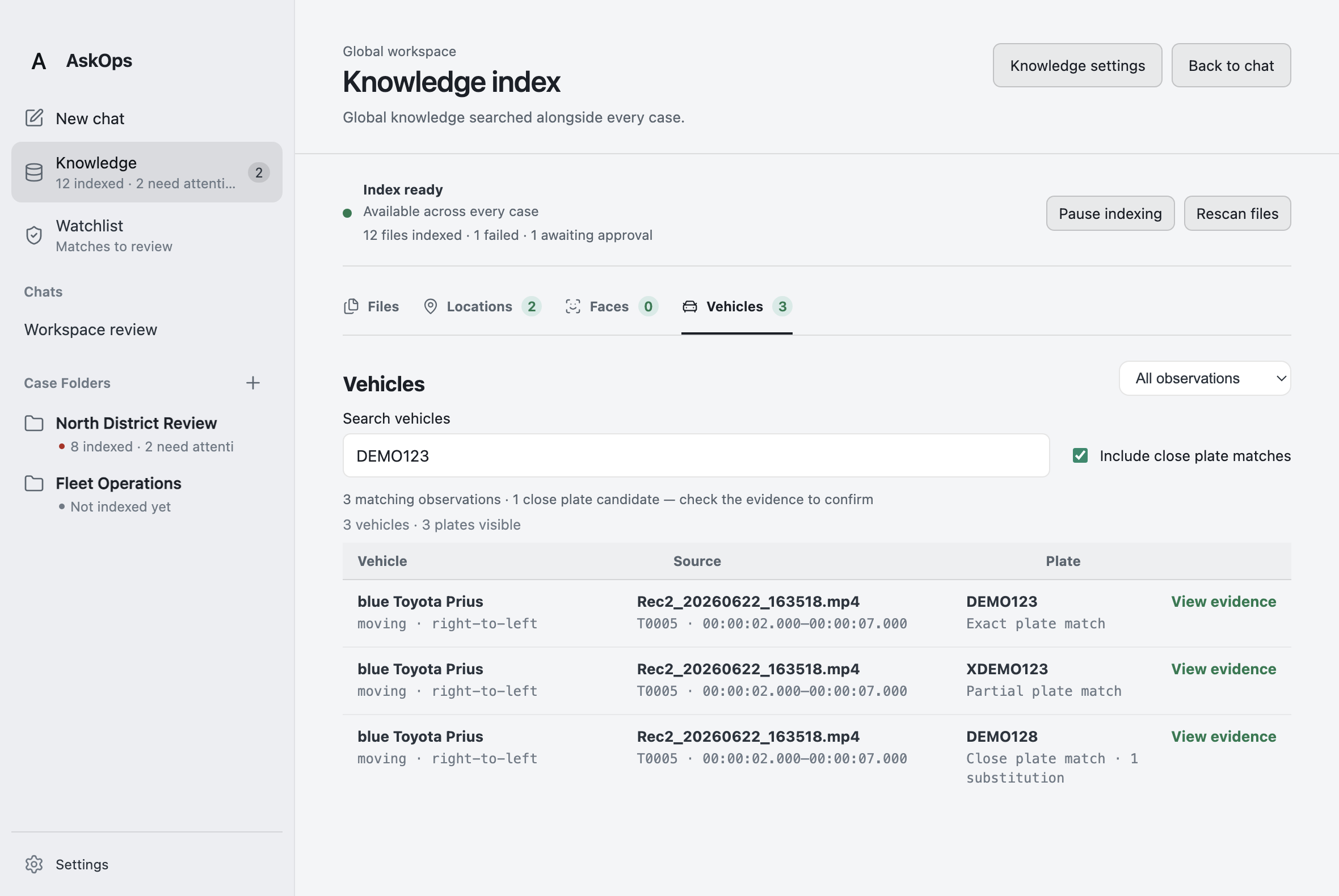
Optional visual indexing adds structured vehicle observations to the evidence collection. Analysts can search by plate text and vehicle attributes, then inspect the associated source video and retained timestamps. Close plate matches are presented as candidates to check, making it easier to investigate a possible reading without treating it as a confirmed match.
For a closer look, the agent can prepare timestamped frames, crops or a contact sheet from a selected video interval and ask a focused visual question. The workflow helps narrow attention to relevant moments; sampled observations still need to be checked against the source.
Bring time and location into the same review.
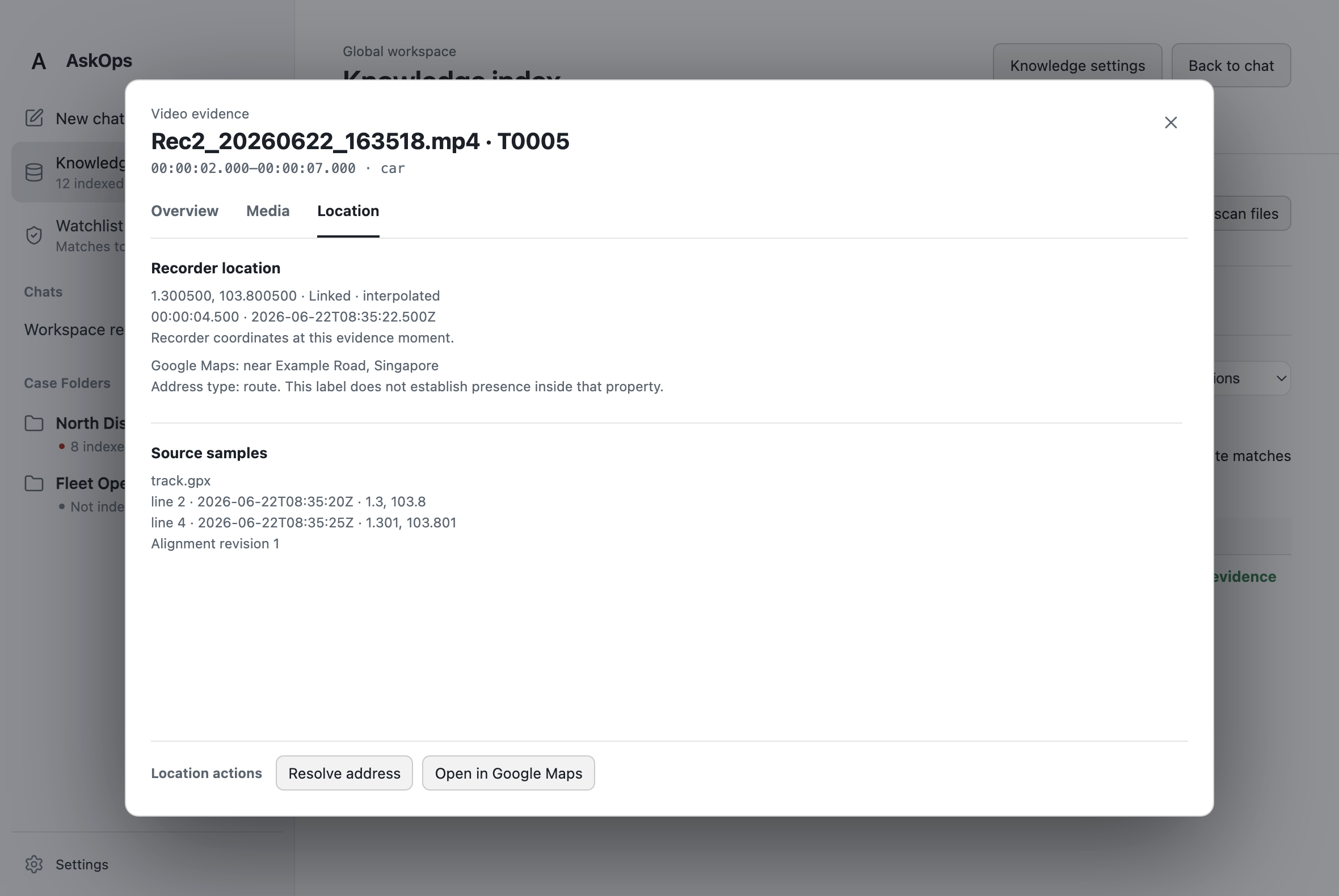
Where a recording has a compatible GPS log, the analyst can link the two and inspect the recorder’s position at a particular video moment. The evidence panel retains the supporting samples, timestamps and alignment information, giving the reviewer a way to understand where the displayed coordinate came from.
These are recorder coordinates, not the position of every object in the frame. Keeping that distinction visible helps analysts use the location context appropriately while moving between the video, its timing and the underlying log.
Choose the analysis that fits the material.
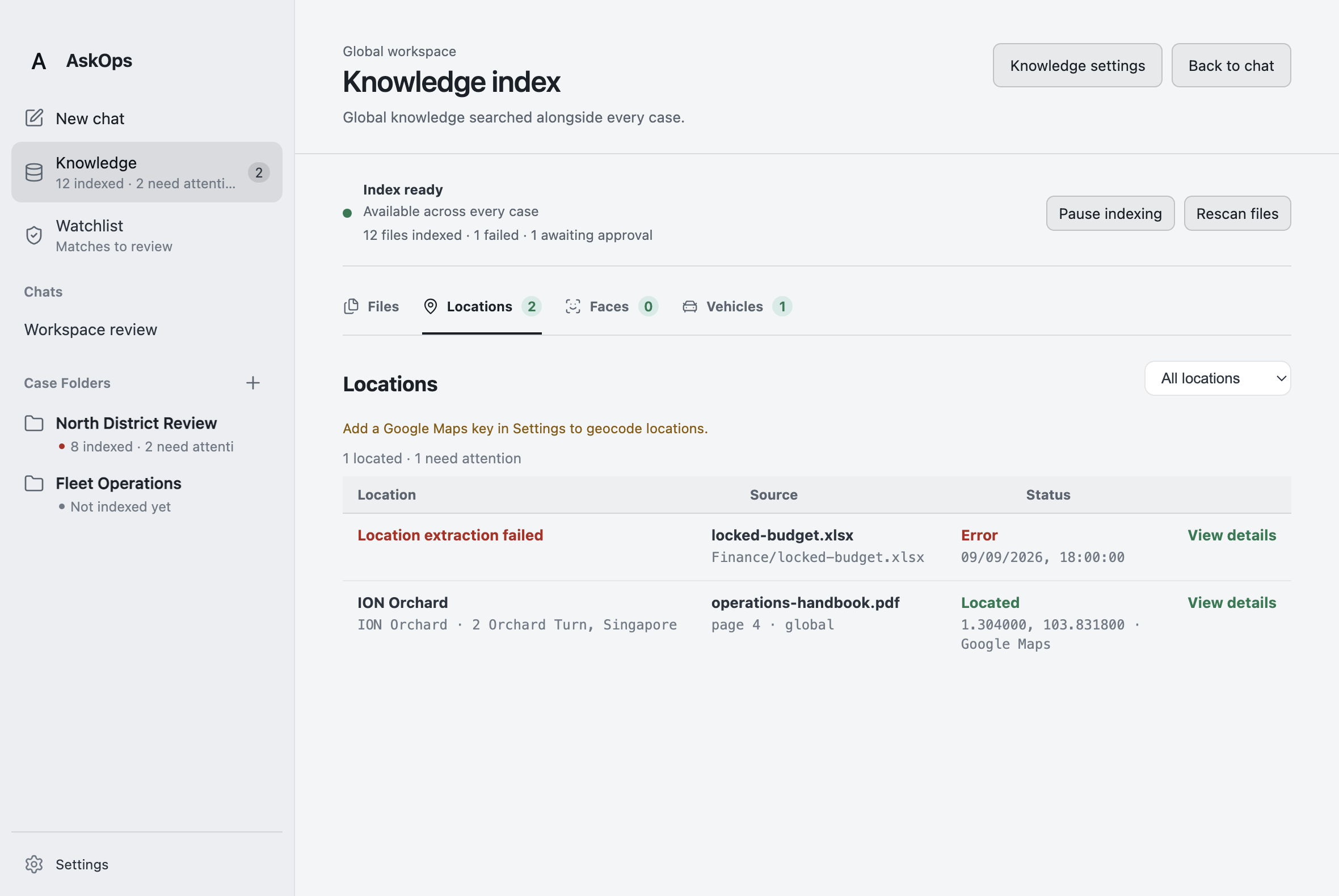
The workspace separates document search from optional visual and location processing. Teams can enable the capabilities their material needs, including image and video analysis, document locations and local face detection and similarity search. Face matches remain candidates for review, with source context available for inspection.
The application also supports configurable model connections and analysis tools that work over the active evidence collection. Together, these capabilities make ProwlOps a place to develop an investigation: ask a question, find relevant material, inspect its context and prepare an output that another person can check.