Every student brings a trail of administration.
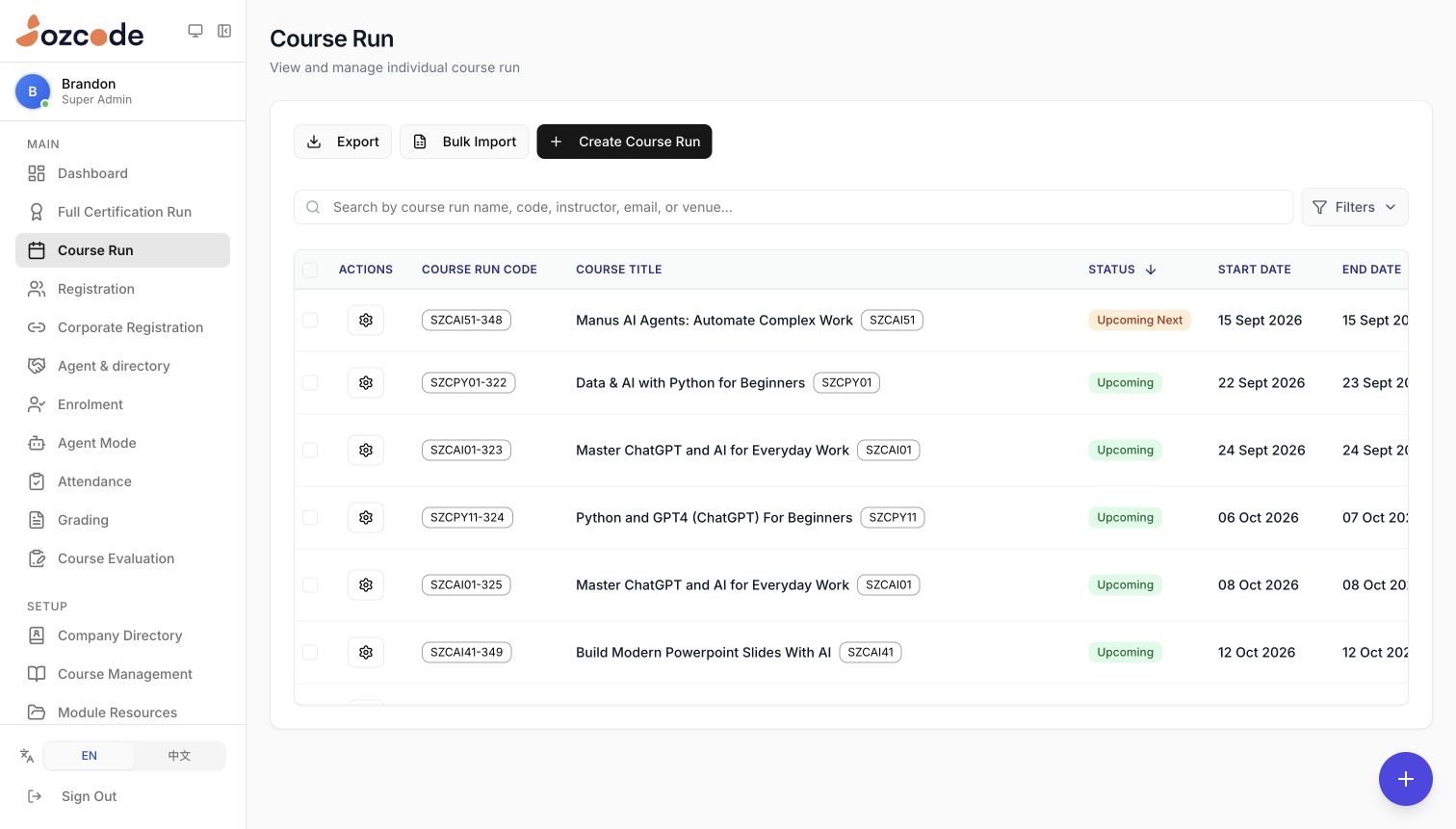
An enrolment is only the beginning. A training team has to place each learner in the right intake, prepare course materials, track attendance, manage assessments and produce the documents that follow. When those steps live in separate spreadsheets and folders, even a small change can mean updating the same information several times.
Edusphere connects these activities around the student lifecycle. Course runs bring together programme codes, dates and status, while dedicated workspaces handle registration, enrolment, learning resources and assessments. The aim is to give staff a shared operational picture—and make the information collected at the start useful throughout the programme.
Give the agent the paperwork. Keep the decisions with your team.
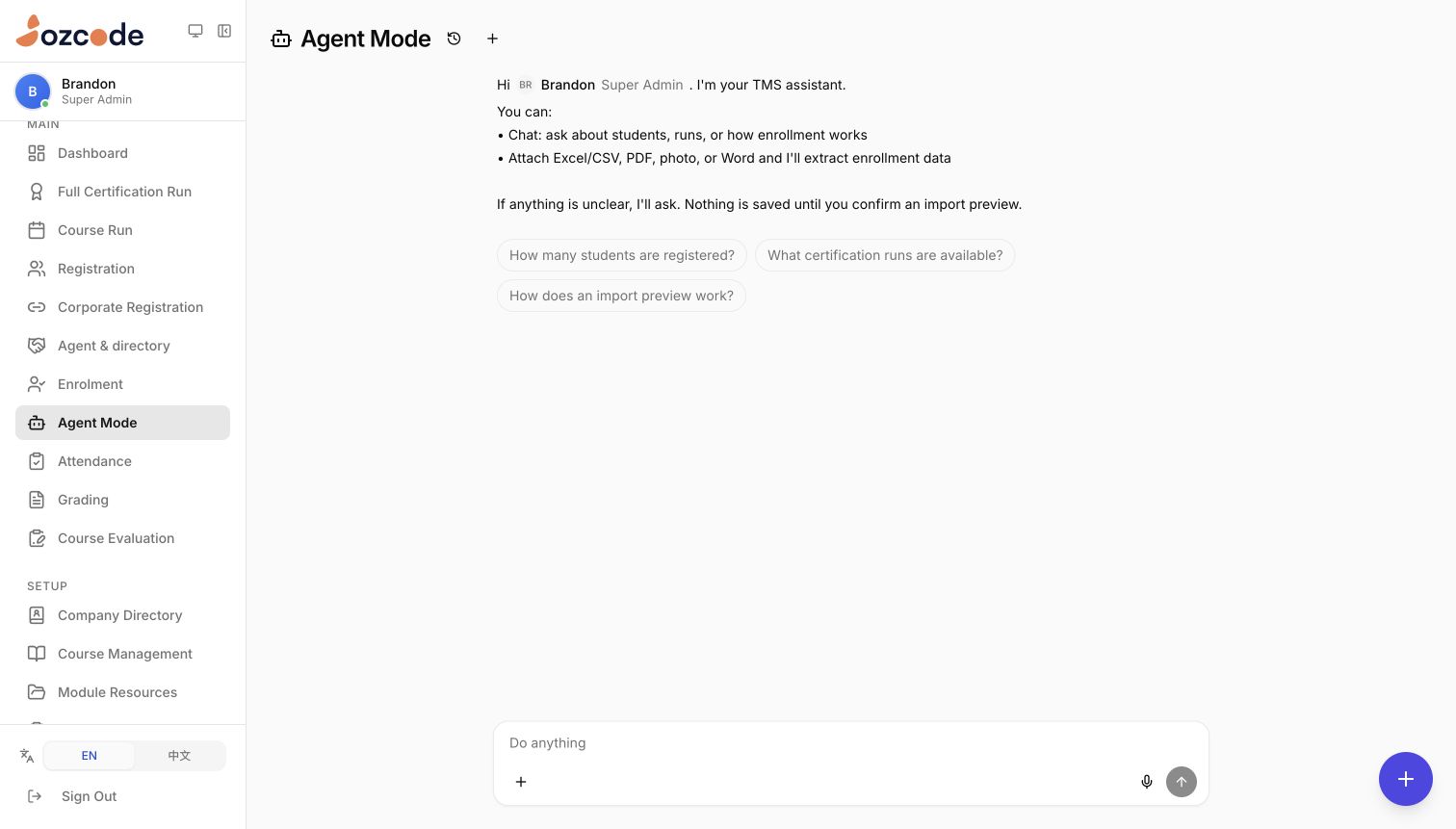
Enrolment information rarely arrives in a perfect template. Agent Mode accepts Excel and CSV files, PDFs, photographs, Word documents and pasted text. It helps extract the relevant details and propose how they should fit the enrolment record, so staff can start with the material they already have.
- Resolve the gaps in conversation. The agent proposes field mappings and programme matches, then asks for missing or ambiguous information. Staff can clarify the intended intake or correct a mapping before moving to the import preview.
- Make the review step explicit. The preview checks required fields, email formats, programme matches and duplicate entries within an intake. It separates valid records from issues that need attention. Staff confirm before enrolment records are created or updated; the import then reports what succeeded and what failed.
- Ask questions without starting over. Staff can also ask about students and available runs within their access. Saved conversations and pinned chats let them return to ongoing work. The agent sits alongside the operational tools, giving the team a conversational way into the same system.
Prepare the materials once. Release them for each cohort.
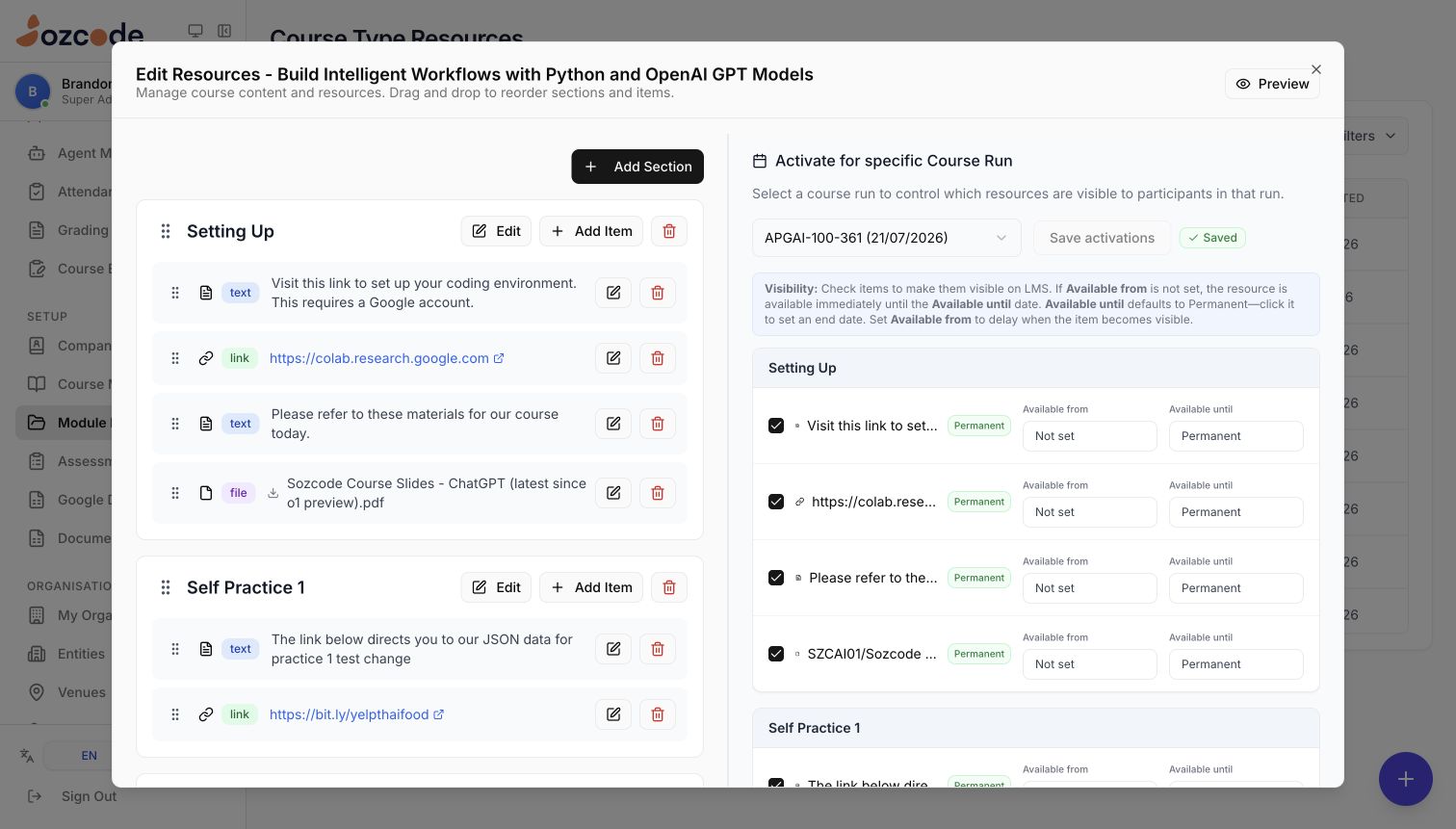
Course content is organised into sections with text, links, files and video resources. Trainers can arrange the material in teaching order, from getting set up to practical exercises and post-course reference. The same library can support successive runs of a course, keeping preparation connected to the programme itself.
Each run has its own resource controls. Staff can choose which items learners see and set when access begins or ends. A handout can be available from the start, while another resource is held until the relevant session. This separates the work of maintaining course content from the work of releasing it to a particular cohort.
Give every assessment a clear set of rules.
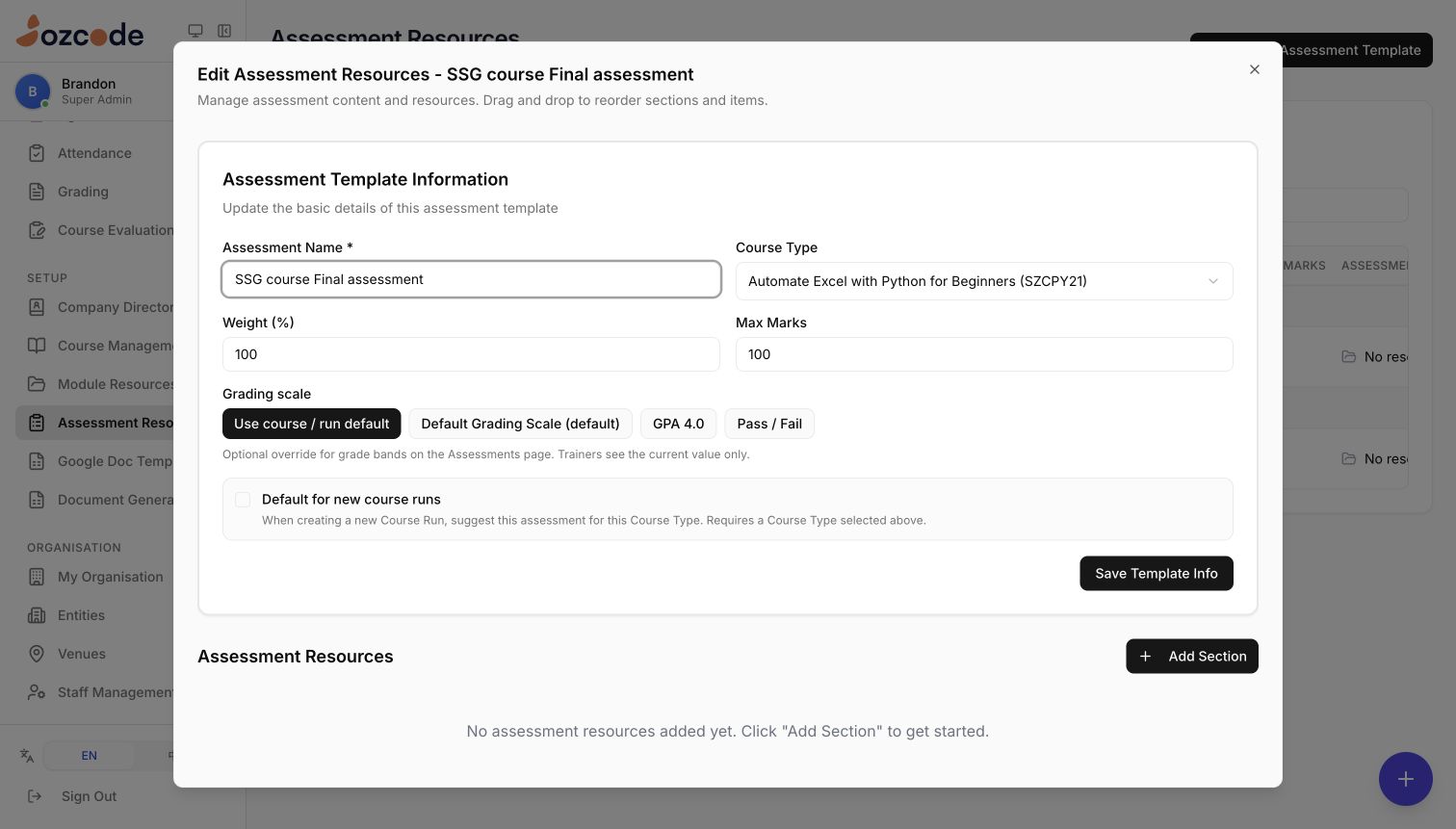
Assessment templates bring the name, weighting, maximum marks and supporting resources together. A template can use the course or run’s grading scale, or specify its own. The live workspace includes GPA and pass/fail options, allowing different programmes to use an assessment model that fits their teaching.
Templates can also be marked as defaults for new course runs, helping staff carry an established assessment setup into the next intake. Separate assessment policies define attendance and assessment requirements for certificate eligibility. Together, these controls make the intended rules visible in the system instead of leaving them in a separate checklist.
Support programmes with more than one path to completion.
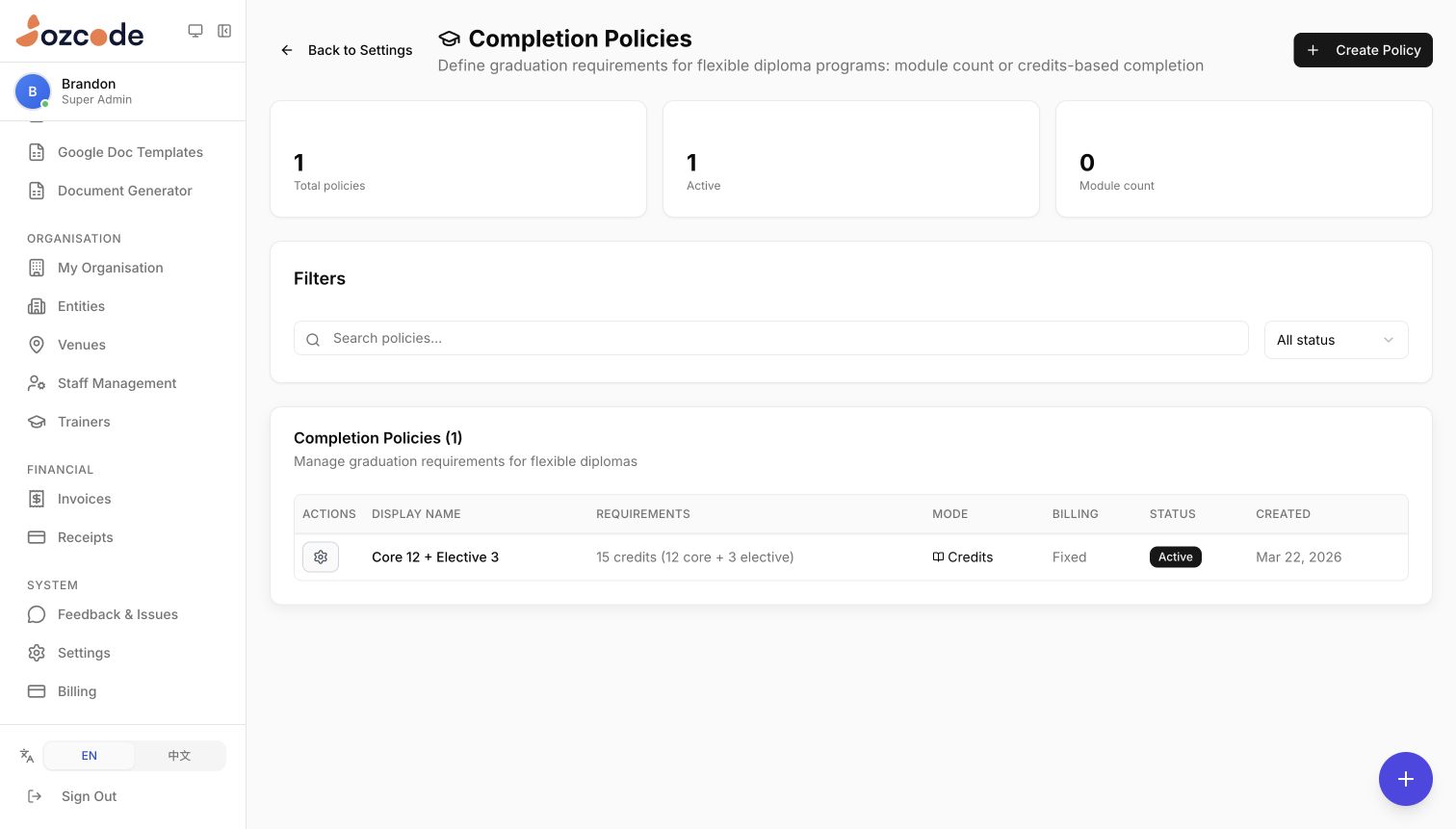
A flexible qualification needs more than a single course end date. Edusphere lets administrators define completion requirements by module count or by credits, including separate requirements for core and elective study. These policies give the programme a clear definition of what learners need to complete.
The example shown uses 15 credits overall, with 12 core and 3 elective credits. Policies also distinguish fixed-fee and per-module billing arrangements. This gives administrators a way to represent different programme structures without treating every qualification as a one-off course.
Let the records do the repetitive paperwork.
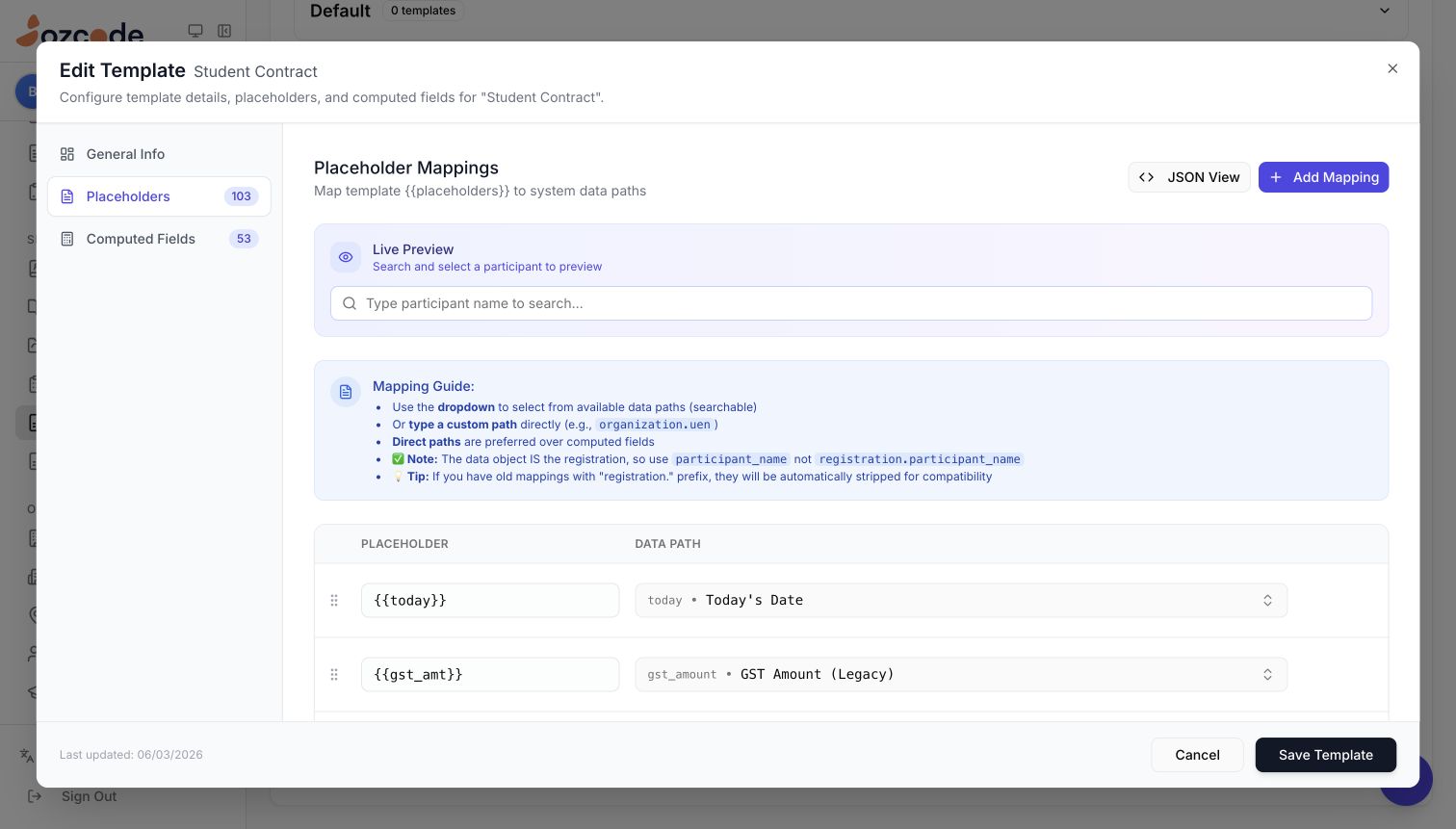
The information collected during registration can feed the documents that follow. Edusphere connects Google Docs templates to system fields, including participant details, course dates, programme information and fees. Staff configure the mappings once, rather than manually copying the same details into each document.
The template library separates documents by purpose, including student contracts, completion certificates, invoices and payment receipts. Preview controls help staff check field values, while the document generator supports batch jobs with progress and failure reporting. Templates supply the structure; the system supplies the relevant record data.
This is the broader idea behind Edusphere: connect the work from enrolment through delivery and completion, then use an agent where it can help with the unstructured information in between. Staff retain the review points, while the platform provides a consistent place to manage the student lifecycle.